Is Hotpot AI Your All-in-One Creative Assistant? An In-Depth Review
In the rapidly evolving landscape of artificial intelligence, tools that promise to streamline content creation are appearing constantly. Hotpot AI positions itself as a versatile, cloud-based platform designed to assist users—regardless of their technical skill—in generating professional-quality graphics, images, and text. But can one tool truly master the diverse realms of visual and written content? This review dives deep into Hotpot AI's features, practicality, and value to help you decide if it's the right creative partner for your projects, from personal blogs to commercial marketing campaigns.
What is Hotpot AI? Beyond the Hype
At its core, Hotpot AI is an integrated suite of AI-powered creative tools. It aims to be a one-stop shop for individuals and professionals who need to produce visual and written content without navigating between multiple specialized applications. The premise is compelling: leverage artificial intelligence to handle tasks that typically require knowledge of complex software like Photoshop or advanced writing skills.
The platform is built on the idea of accessibility. Whether you're a student working on an essay, a blogger seeking engaging visuals, a social media manager crafting a campaign, or a small business owner building a website, Hotpot AI provides a centralized dashboard for a variety of needs. This approach of bundling services under one "roof" seeks to simplify workflows and reduce the learning curve associated with high-end creative software.
Core Features Unveiled: Strengths and Limitations
Hotpot AI's functionality is broad, covering image editing, generation, and text creation. Here’s a breakdown of what it offers and how it performs in practice.
AI-Powered Image Editing Suite
This is one of Hotpot AI's more robust areas. The platform offers a range of automated editing functions that can save significant time:
- Object Removal and Background Editing: You can easily erase unwanted elements or isolate subjects from their backgrounds with a few clicks, which is invaluable for creating clean product shots or composites.
- Photo Enhancement and Restoration: Features like image upscaling (increasing resolution without losing quality), colorizing black-and-white photos, and repairing old or damaged photographs are particularly useful for personal projects or historical content.
- Portrait Retouching: The tool includes face enhancement capabilities to subtly refine skin tones and smooth wrinkles, offering a quick alternative to manual retouching.
The process is generally straightforward: you upload an image, highlight the area you wish to modify, and provide a text prompt instructing the AI on the desired change. For common tasks like background removal, the results are often effective and instant.
AI Headshots: Creating Professional Portraits
This specialized feature allows you to generate professional-looking headshots from a set of personal selfies. The AI analyzes your facial features and then creates avatars in various styles, attire, and backgrounds—ranging from corporate LinkedIn photos to more creative or fantastical portraits.
It's promoted as a cost-effective way to experiment with personal branding imagery without booking a photographer. However, the quality and accuracy can be inconsistent. The success of this feature heavily depends on the quality and variety of the source photos you provide.
AI Image Generation: From Text to Visuals
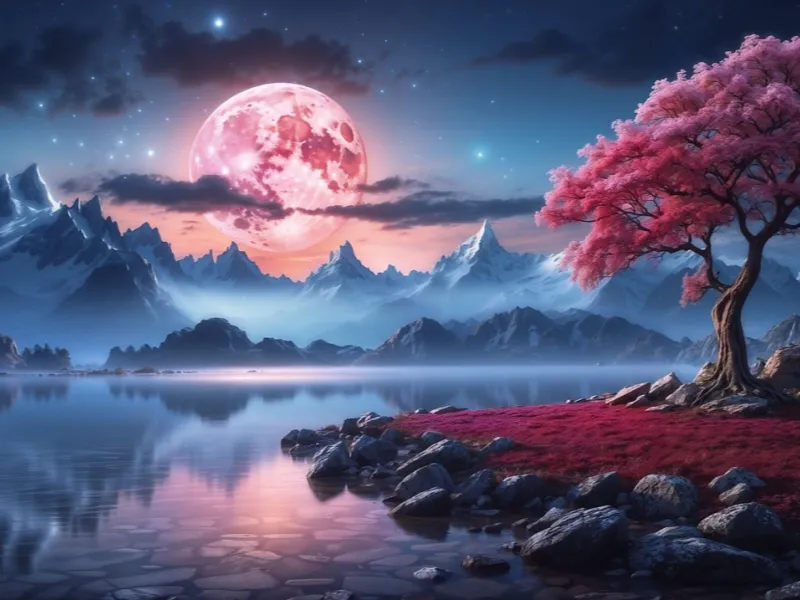
Here, you can create original images by submitting detailed text prompts that describe the desired scene, style, mood, and specific elements. This function empowers users to bring imaginative concepts to life without any drawing skill.
However, comparisons with dedicated, state-of-the-art image generators like Midjourney or Stable Diffusion are inevitable, and Hotpot AI's output often falls short in complexity and photorealism. It tends to perform better with simpler subjects like landscapes or abstract art, while struggling with generating convincing human or animal figures with precise anatomical details. For professional-grade, highly specific visual assets, specialists might still prefer more powerful, standalone generators.
Simple Text Generation
Beyond visuals, Hotpot AI can also generate written content. You can prompt it to create blog post drafts, social media copy, or other short-form text based on your initial ideas.
The platform can produce structurally sound text that is free of grammatical errors, making it suitable for drafting or overcoming writer's block. That said, its text generation is not as advanced or nuanced as that of leading large language models like ChatGPT or Claude. It's best suited for straightforward, informational content that doesn't require deep research, expert analysis, or a highly distinctive narrative voice.
Practical Guide: How to Use Hotpot AI
Getting started with Hotpot AI is designed to be intuitive. A typical workflow for a common task like object removal would look like this:
- Navigate to the AI Photo Editor section on the platform.
- Select the tool for object removal or background editing.
- Upload your target image from your device.
- Use the brush tool to highlight the object or area you want to erase.
- Submit the request. The AI will process the image, remove the selected object, and intelligently reconstruct the background for a seamless result.
The platform’s interface guides users through each step, making advanced editing techniques accessible to beginners.
Pricing Structure: Understanding the Cost
Hotpot AI employs a mixed pricing model. Some basic features, like background removal and fundamental image editing, are available for free, which is great for trying out the service. However, most of its core functionalities operate on a credit system or require separate payments.
For instance, generating a short story (around 500 words) might cost 10 credits. The AI Headshots feature has its own pricing, with packages ranging from $40 for 10 images to $800 for 80 images.
Credit packages can be purchased as a one-time payment, or through monthly or annual subscriptions. Subscriptions typically offer around a 20% discount, while an annual commitment provides the best value for long-term users. The platform also offers a "happiness guarantee," promising a redo or refund if you are dissatisfied with the outcome, which helps mitigate the risk of trying paid features.
Hotpot AI vs. The Competition: Filling a Niche
The greatest strength and simultaneous weakness of Hotpot AI is its breadth. It doesn't claim to be the best-in-class tool for any single task. Instead, it offers convenience and consolidation.
- For Image Editing: It provides a simpler, more AI-driven alternative to the manual complexity of Adobe Photoshop, though with less fine-grained control.
- For Image Generation: It is more accessible but less powerful than giants like DALL-E or Midjourney.
- For Text Generation: It handles basic drafting but lacks the sophisticated reasoning and conversational depth of ChatGPT or Claude.
Therefore, its primary competitor is not these specialized leaders, but rather the inconvenience of using multiple apps. For users whose needs are moderate and who prioritize a unified, easy-to-use platform, Hotpot AI presents a compelling solution.
Final Verdict: Who is Hotpot AI For?
Hotpot AI is a capable and convenient multi-tool for casual creators and beginners. Its attempt to consolidate various AI creative functions under one platform is commendable and largely successful for personal projects, learning, and quick content tasks.
You might find Hotpot AI valuable if:
- You need to perform quick, common image edits (background removal, object erasure, photo restoration).
- You want to experiment with AI image and text generation without investing in multiple, more expensive specialized tools.
- Your content quality requirements are good but not necessarily at the cutting-edge professional level.
- You value a streamlined, all-in-one dashboard over mastering several different software interfaces.
You might want to look elsewhere if:
- You are a professional graphic designer, illustrator, or writer requiring the highest quality, most customizable outputs.
- Your work depends on generating hyper-realistic or highly specific complex imagery.
- You need to produce long-form, deeply researched, or analytically sophisticated written content.
In conclusion, while Hotpot AI may not master any single discipline, it successfully democratizes a suite of creative AI tools, making them accessible to a wider audience. For its target users, it represents a solid step toward simplifying the creative process in the AI age.